> For the complete documentation index, see [llms.txt](https://docs.vega365.com/llms.txt). Markdown versions of documentation pages are available by appending `.md` to page URLs; this page is available as [Markdown](https://docs.vega365.com/redundancy-management-framework/user-manual/configuration-dashboard/architecture-selection.md).
# Architecture Selection
Set RMF to reflect the XProtect Architecture at your site.
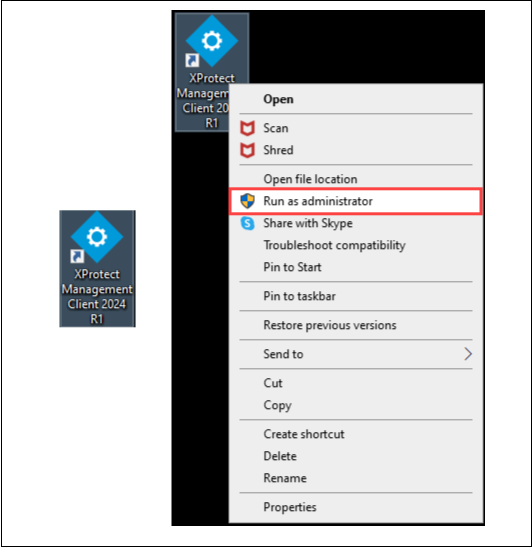
1. Launch the Milestone XProtect Management Client application as an administrator on the machine where the RMF services are installed.
Run as Administrator
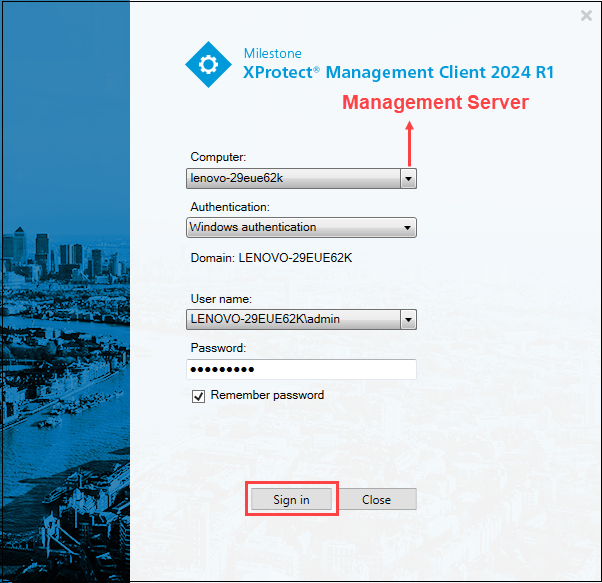
2. Log in to the Management Server as a user with admin privileges.
{% hint style="info" %}
**Note:** In a Federated deployment, ensure that the Management client is logged in to the Parent site, not any of the Child sites.
{% endhint %}
XProtect Management Client Login Screen
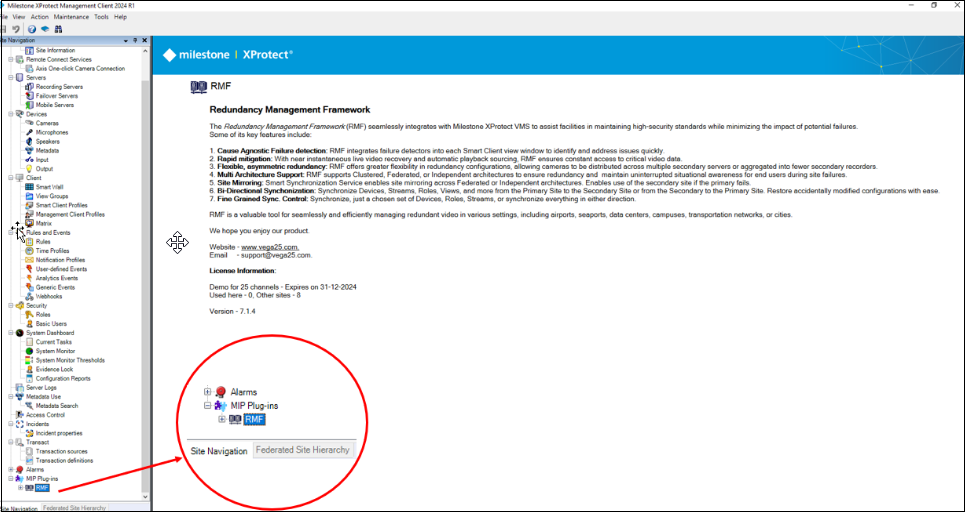
3. Select the **RMF** plug-in from **Site Navigation → MIP Plug-ins**.
MIP Plug-ins Screen
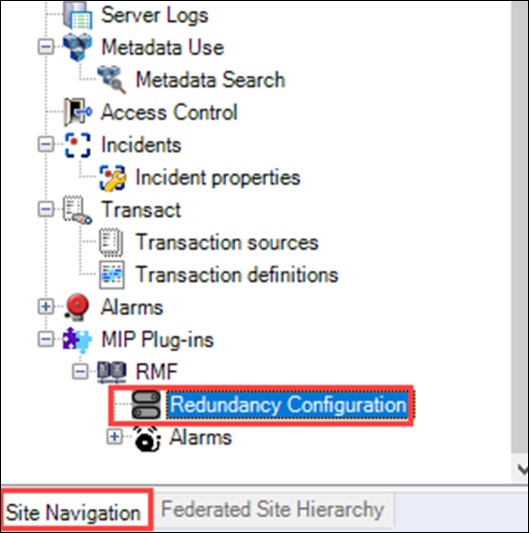
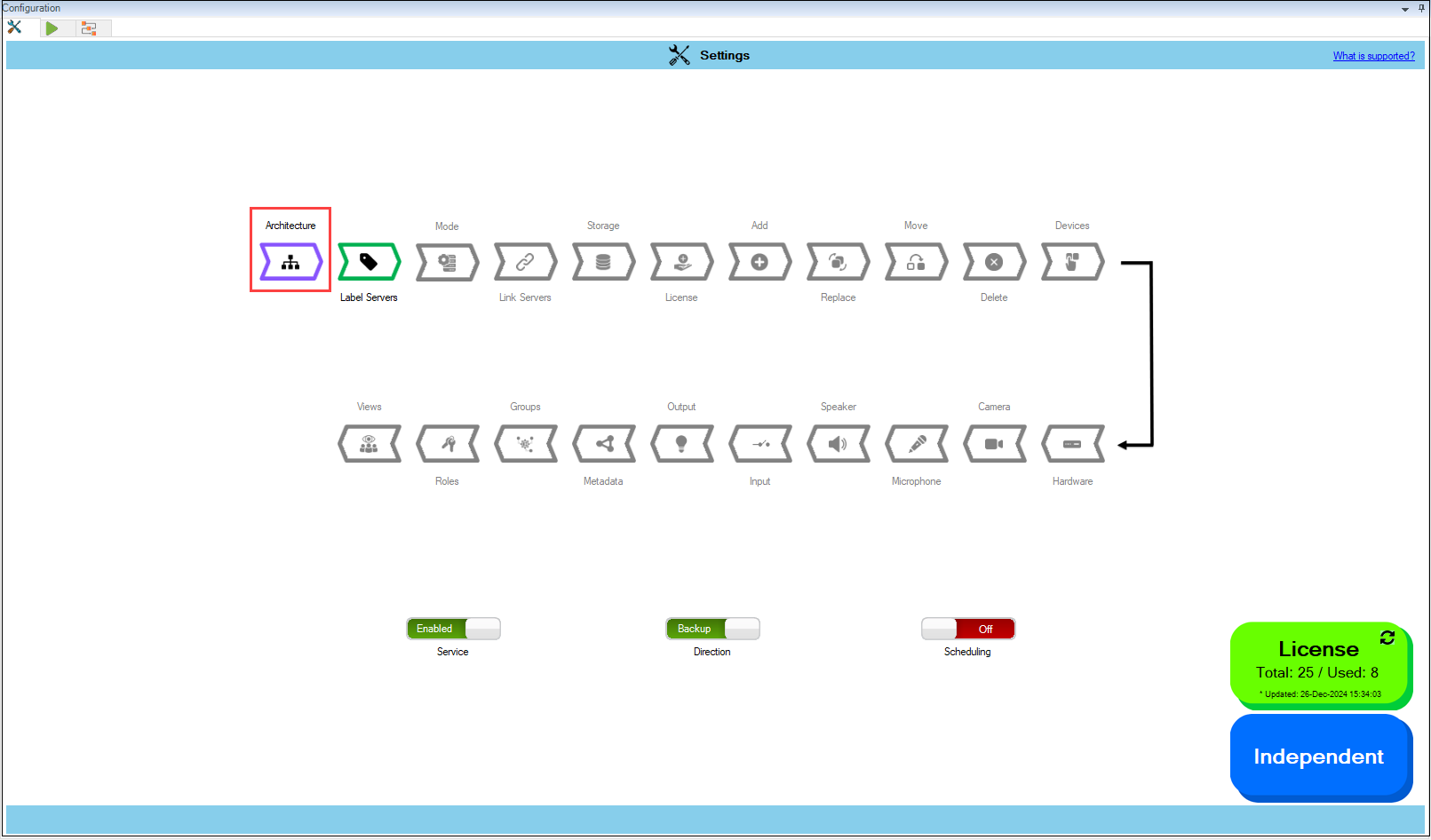
4. Click the **RMF Expand** button to view the **Redundancy Configuration**.
Redundancy Configuration
5. Then, click on the Architecture block, as shown in the following screenshot.
Architecture Option
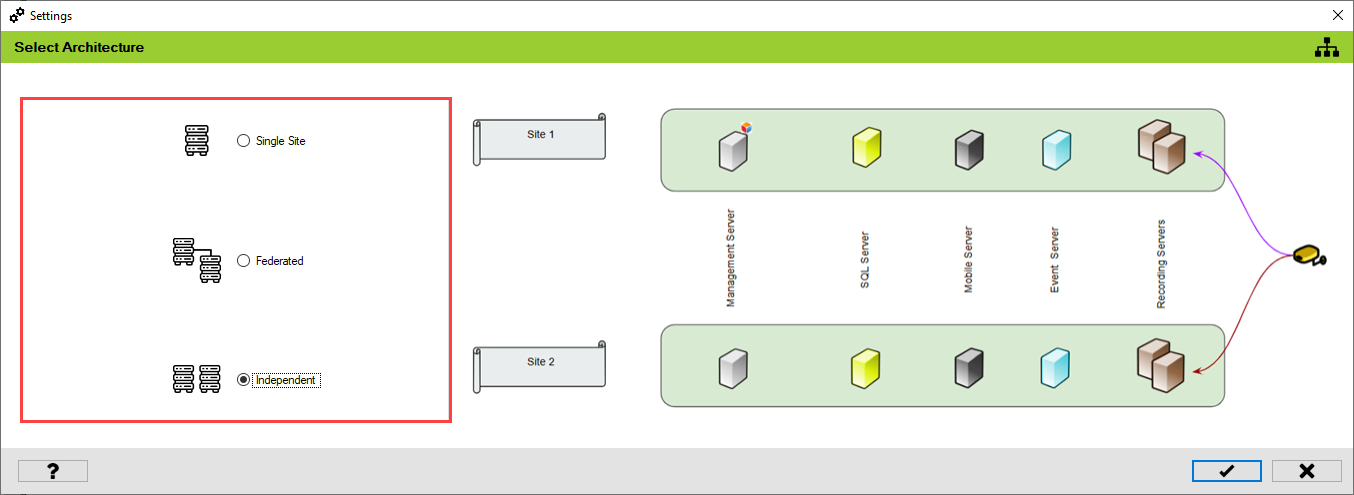
The following architectural types are available for further configuration and settings.
* Single Site
* Federated
* Independent
RMF Architectural Types
**Single Site:**
Select this option if your primary and secondary recorders are part of a single Milestone deployment with a single database. Note that failover management servers and/or clustered high-availability databases are considered a "Single Site" because there is one unique database.
If your XProtect architecture is a Single Site, see the section[Single Site](https://docs.vega365.com/redundancy-management-framework/user-manual/configuration-dashboard/architecture-selection/single-site.md).
**Federated:**
Select this option if your primary recorders are part of a parent Milestone site and secondary recorders are part of a child site. Note that there are two unique databases here, one at the parent and another at the child.
If your XProtect architecture is Federated, see the section[Federated](https://docs.vega365.com/redundancy-management-framework/user-manual/configuration-dashboard/architecture-selection/federated.md).
**Independent:**
Select this option if your primary recorders are part of one Milestone deployment and secondary recorders are part of an Independent Milestone deployment. Note that there are two unique databases, one at each separate site.
If your XProtect architecture is Independent, see the section[Independent](https://docs.vega365.com/redundancy-management-framework/user-manual/configuration-dashboard/architecture-selection/independent.md).