> For the complete documentation index, see [llms.txt](https://docs.vega365.com/llms.txt). Markdown versions of documentation pages are available by appending `.md` to page URLs; this page is available as [Markdown](https://docs.vega365.com/redundancy-management-framework/user-manual/configuration-dashboard/enable-the-smartsync-service.md).
# Enable the SmartSync Service
Turn On the SmartSync Service.
The RMF SmartSync Service is the workhorse that synchronizes control information in an active-active architecture.
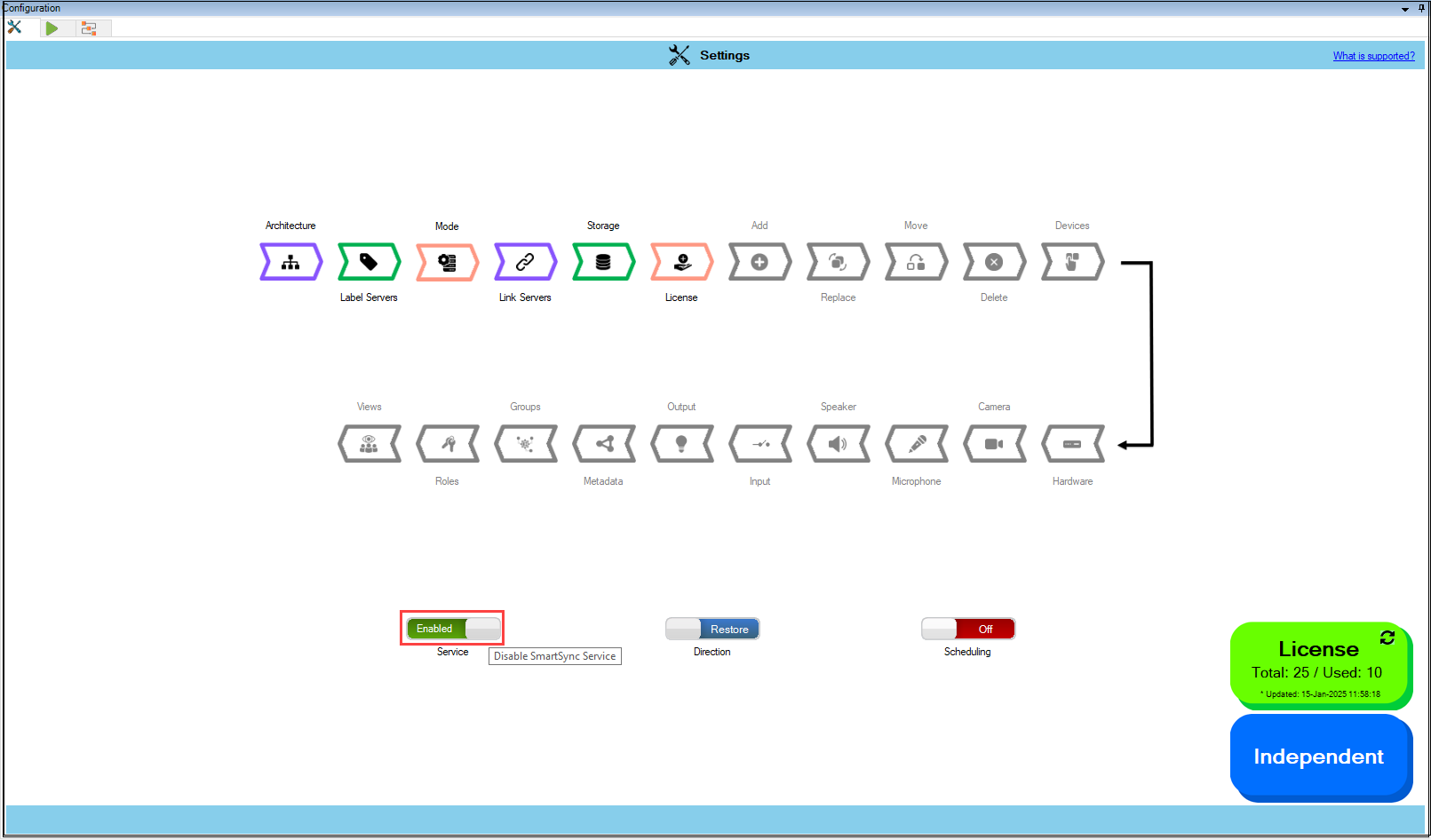
Enable the SmartSync Service by moving the toggle button to show 'Enabled.'
SmartSync Service Enabled
## SmartSync Service Settings
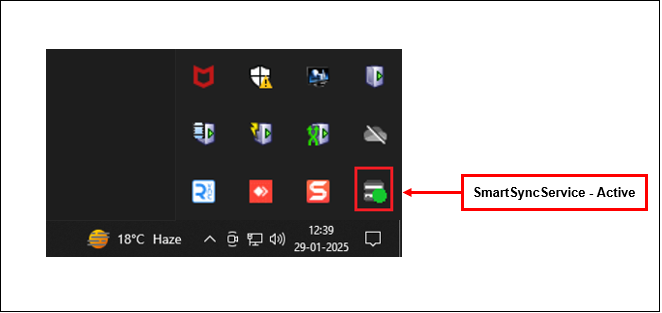
After enabling, wait a few seconds and verify that the SmartSync service System Tray icon shows a green dot. The following SmartSync settings are available from the System tray.
SmartSync Service is Active
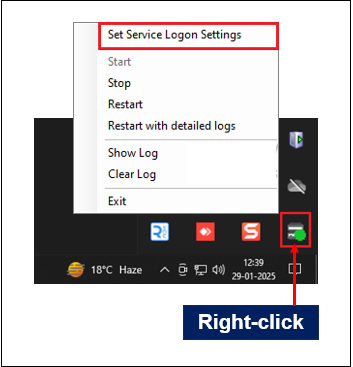
Right-click on the **SmartSync Service** icon. The following screen is displayed.
SmartSync Service Options
Following are some of the settings that can be configured on SmartSync Service:
* [Set Service Logon Settings](https://docs.vega365.com/redundancy-management-framework/user-manual/configuration-dashboard/enable-the-smartsync-service/smart-sync-service-service-tray/set-service-logon-settings.md)
* [Start](https://docs.vega365.com/redundancy-management-framework/user-manual/configuration-dashboard/enable-the-smartsync-service/smart-sync-service-service-tray/start.md)
* [Stop](https://docs.vega365.com/redundancy-management-framework/user-manual/configuration-dashboard/enable-the-smartsync-service/smart-sync-service-service-tray/stop.md)
* [Restart](https://docs.vega365.com/redundancy-management-framework/user-manual/configuration-dashboard/enable-the-smartsync-service/smart-sync-service-service-tray/restart.md)
* [Restart with detailed logs](https://docs.vega365.com/redundancy-management-framework/user-manual/configuration-dashboard/enable-the-smartsync-service/smart-sync-service-service-tray/restart-with-detailed-logs.md)
* [Show Log](https://docs.vega365.com/redundancy-management-framework/user-manual/configuration-dashboard/enable-the-smartsync-service/smart-sync-service-service-tray/show-log.md)
* [Clear Log](https://docs.vega365.com/redundancy-management-framework/user-manual/configuration-dashboard/enable-the-smartsync-service/smart-sync-service-service-tray/clear-log.md)
* [Exit](https://docs.vega365.com/redundancy-management-framework/user-manual/configuration-dashboard/enable-the-smartsync-service/smart-sync-service-service-tray/exit.md)