> For the complete documentation index, see [llms.txt](https://docs.vega365.com/llms.txt). Markdown versions of documentation pages are available by appending `.md` to page URLs; this page is available as [Markdown](https://docs.vega365.com/redundancy-management-framework/user-manual/configuration-dashboard/mode-selection.md).
# Mode Selection
Choose Auto (pair servers) or Manual (map cameras) redundancy mode.
## Introduction
The **Mode Selection** block allows you to define how primary cameras (and the recorders that host them) fail over to secondary cameras. You have two choices: **Auto Mode**, which pairs whole recorders for you, and **Manual Mode**, which lets you map individual cameras exactly where you want them.
{% hint style="info" %}
**Heads Up:** Changing modes is possible after an initial choice but will involve significant reconfiguration effort for large deployments.
{% endhint %}
## Prerequisite
Complete [Server Labeling](https://docs.vega365.com/redundancy-management-framework/user-manual/configuration-dashboard/server-labeling.md)
## Auto Mode (Pair Servers, Auto Manage Devices)
| Pairing style | What happens automatically | Typical use case |
| ------------------------------------------------- | ---------------------------------------------------------------------------------------------------------------------------------------------------------------------------------------------------------------------------- | ---------------------------------------------------------------------------------------------------------------------------------------------------- |
| **Symmetric (1 primary → 1 secondary)** | Every add / move / delete / replace on the primary is mirrored to its twin, and vice-versa. | Small or medium sites that want a “hot spare” mirror—e.g., a campus data-centre where each recording server has a dedicated twin in a nearby rack. |
| **Asymmetric (M primaries → N secondaries, M>N)** |
Backup: add / move / delete / replace mirrored to the pooled secondary. Restore: only delete and replace are mirrored back from the secondary.
| Multi-branch organisations that funnel many branch recorders into a few big DR boxes—e.g., 40 retail stores replicating to two core recorders at HQ. |
Auto Mode is best when your redundancy design is already *server-level* and you want SmartSync to keep entire recorders in lock-step with minimum manual effort.
## Manual Mode - *hand-pick which cameras go where*
Manual Mode ignores recorder boundaries and works **camera-by-camera**:
* You choose a secondary for each camera.
* **Delete** and **replace** actions stay mirrored both ways.
* **Add** and **move** are *not* auto-synced—you decide when and where to remap them. [Add](https://docs.vega365.com/redundancy-management-framework/user-manual/configuration-dashboard/add.md) and [Move Camera](https://docs.vega365.com/redundancy-management-framework/user-manual/configuration-dashboard/move-camera.md)device management blocks disappear from the [Configuration Dashboard](https://docs.vega365.com/redundancy-management-framework/user-manual/configuration-dashboard.md) if this mode is selected.
**Typical use case:** A retail chain has 40 critical cameras watching cash drawers and main entrances, scattered across eight recording servers. Company policy states that the 40 streams must be stored for two years on a high-capacity recorder at headquarters, while the other 800 cameras require the standard 30-day backup on local DR servers. Manual Mode allows you to route only those 40 important cameras to the long-retention recorder, leaving everything else on the standard pool—saving licenses, storage, and bandwidth without having to restructure your primaries.
{% hint style="success" %}
**Note:** Manual mode is supported starting RMF versions 7.2.1 and beyond.
{% endhint %}
## Select Mode
To select the mode, follow these steps.
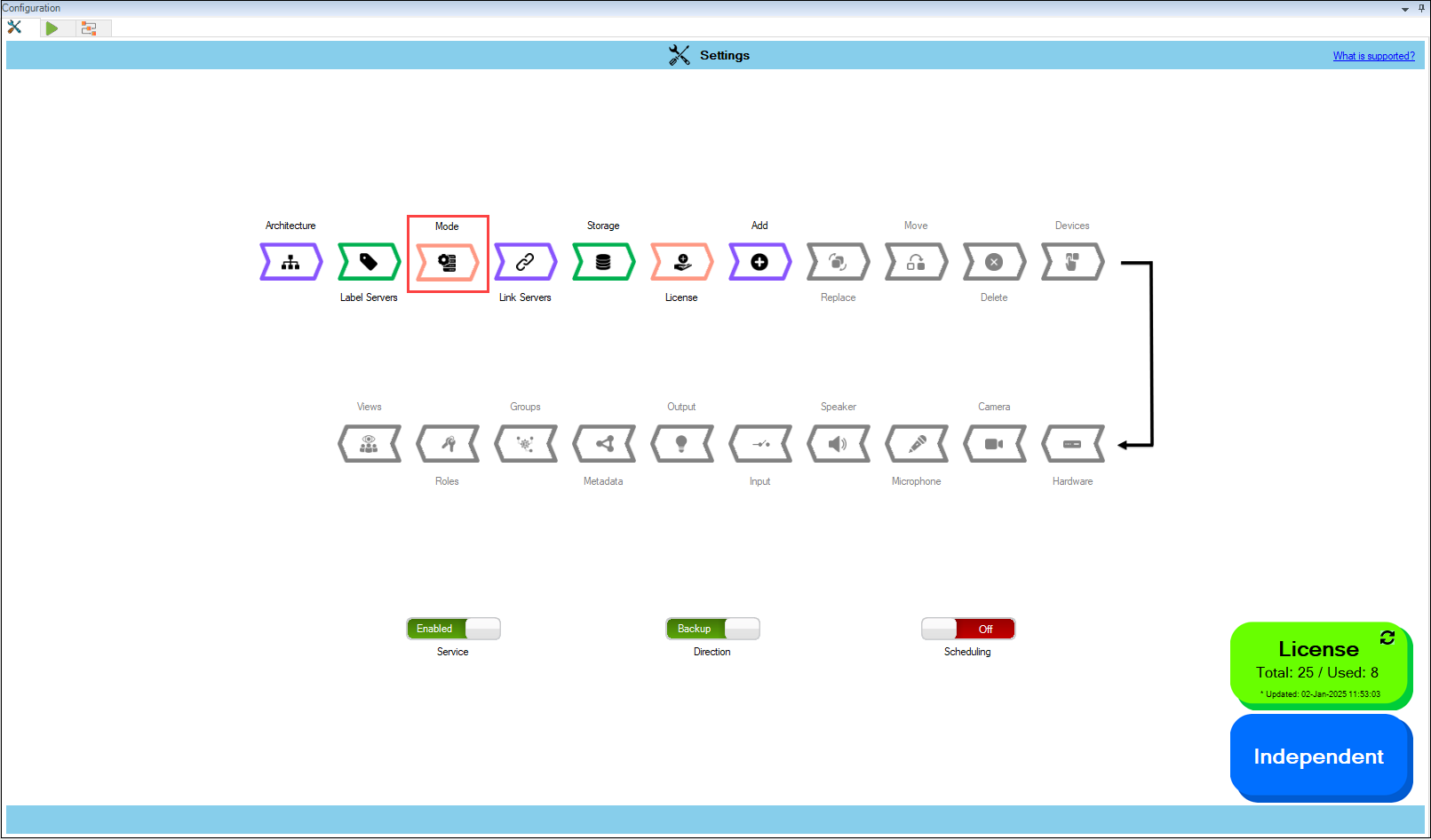
1. Select **Mode** to pair servers and manage devices.
Mode Option
{% hint style="success" %}
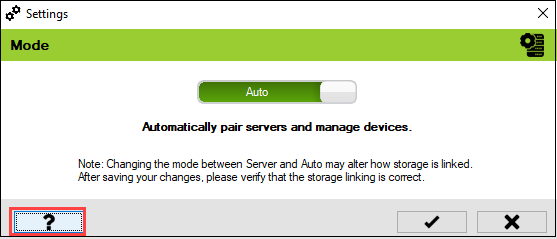
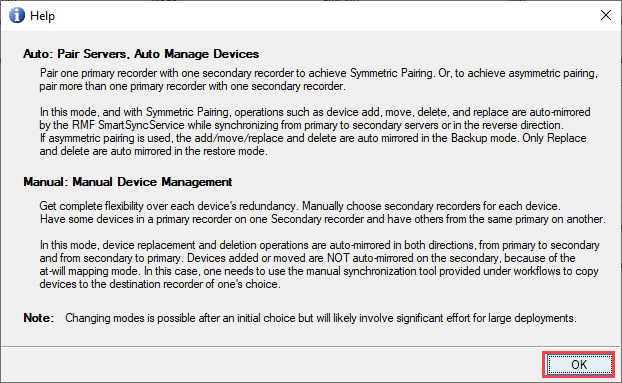
**Step Result:** The following screen appears. Click the **Help** icon for additional information.
{% endhint %}
2. **'Auto Mode'** is selected by default.