> For the complete documentation index, see [llms.txt](https://docs.vega365.com/llms.txt). Markdown versions of documentation pages are available by appending `.md` to page URLs; this page is available as [Markdown](https://docs.vega365.com/redundancy-management-framework/user-manual/configuration-dashboard/synchronize-speaker.md).

# Synchronize Speaker

Precision Synchronization for Speaker Settings

## About

Use this option to synchronize Speaker settings between the Primary and Redundant sites.&#x20;

## Scope

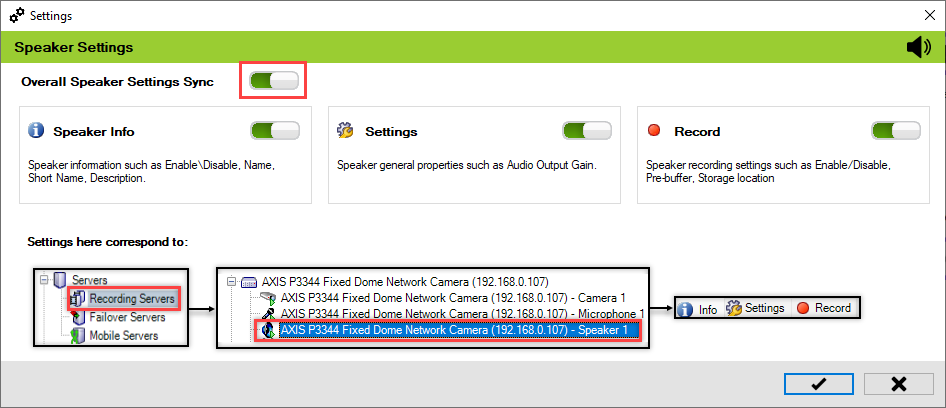
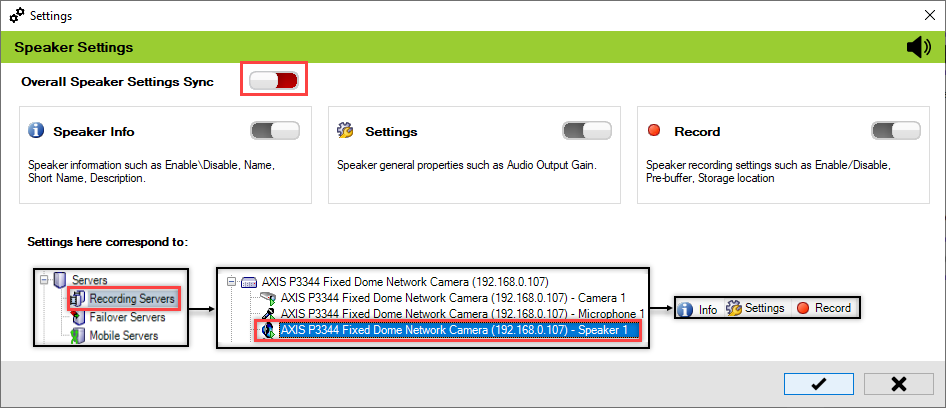
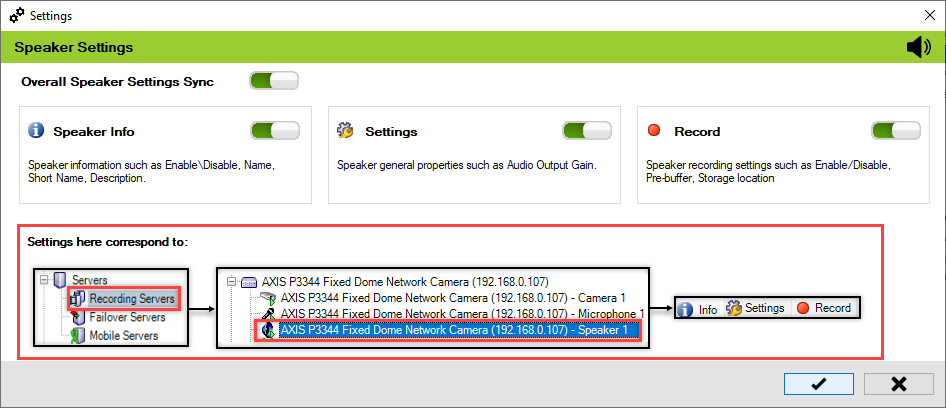
The scope is limited to RMF-licensed devices selected by the [Device Selection](https://docs.vega365.com/redundancy-management-framework/user-manual/configuration-dashboard/device-selection.md) block and to the features listed under the "Settings here correspond to" section in the picture below.  The direction of synchronization depends on the direction setting. See [Set Synchronization Direction](https://docs.vega365.com/redundancy-management-framework/user-manual/configuration-dashboard/set-synchronization-direction.md).  If no devices are selected in the Device Selection block, this option is disabled.

<figure><img src="https://content.gitbook.com/content/K95oxUATgzuZZ2VhRoDw/blobs/HMQ94odtA8S0clhiWxOE/speakerhighlight.png" alt=""><figcaption><p>View Speaker Settings—Site Navigation Pane</p></figcaption></figure>

## Enable

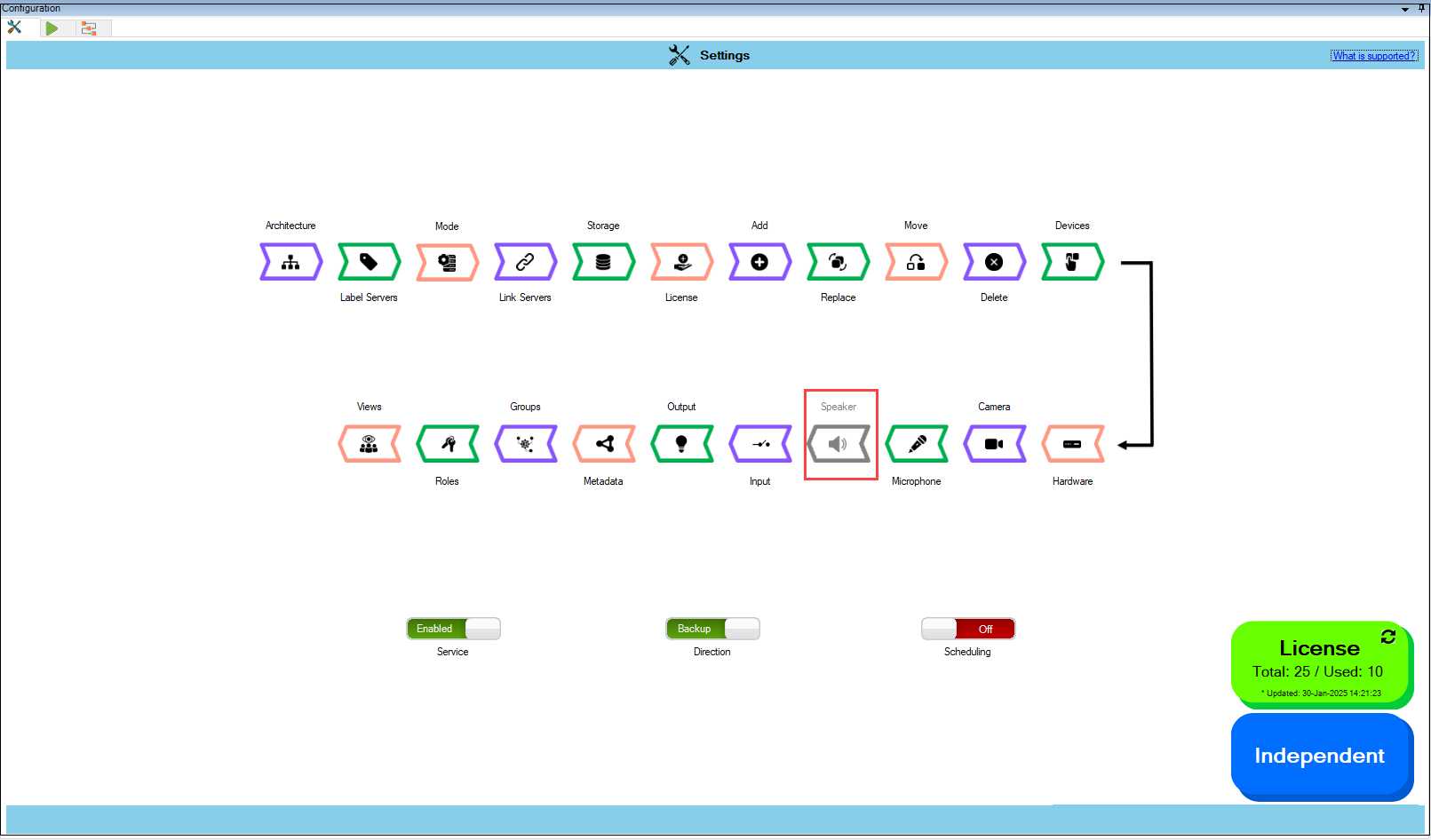
To enable and synchronize the speaker settings, perform the following steps:

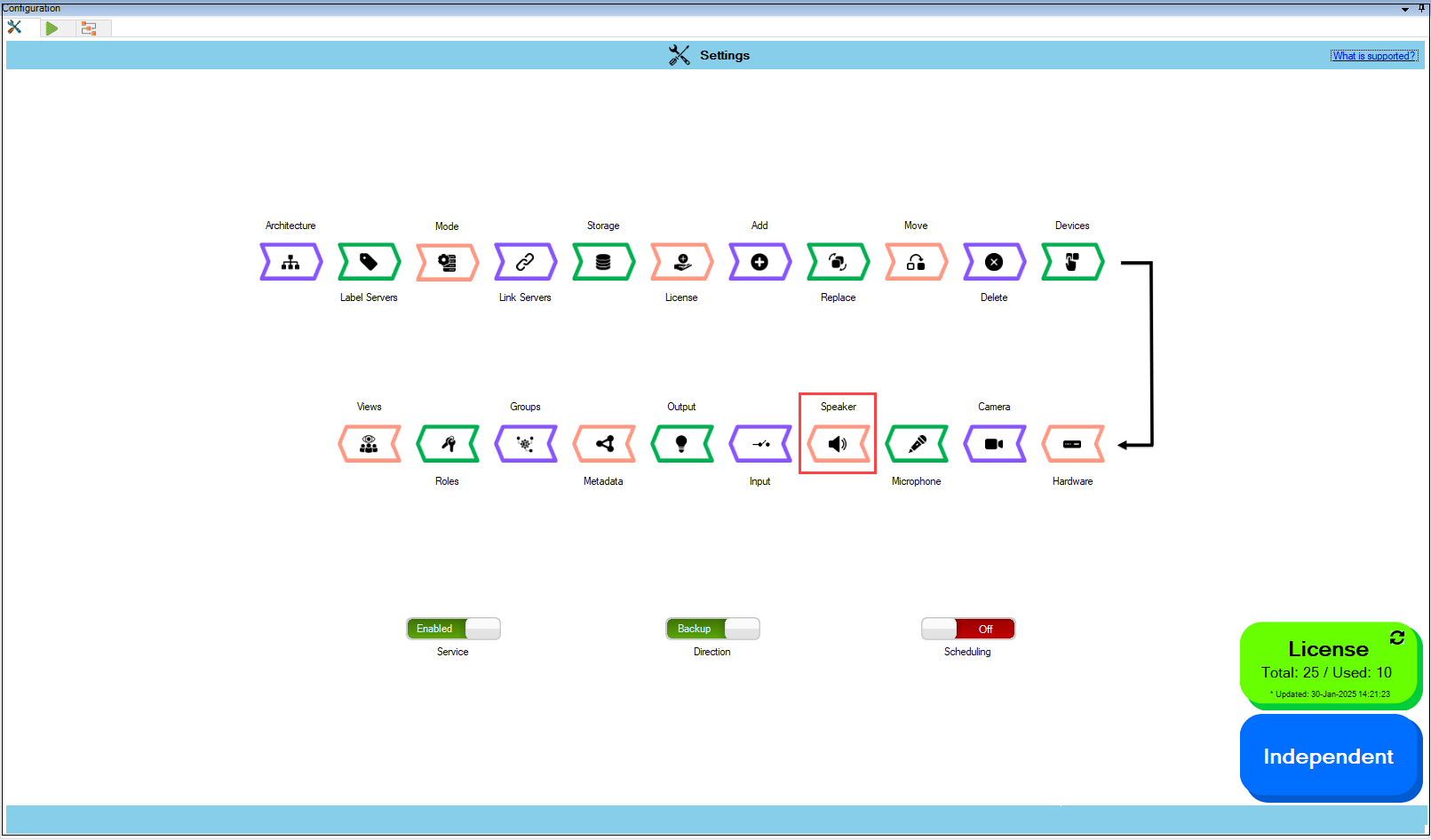
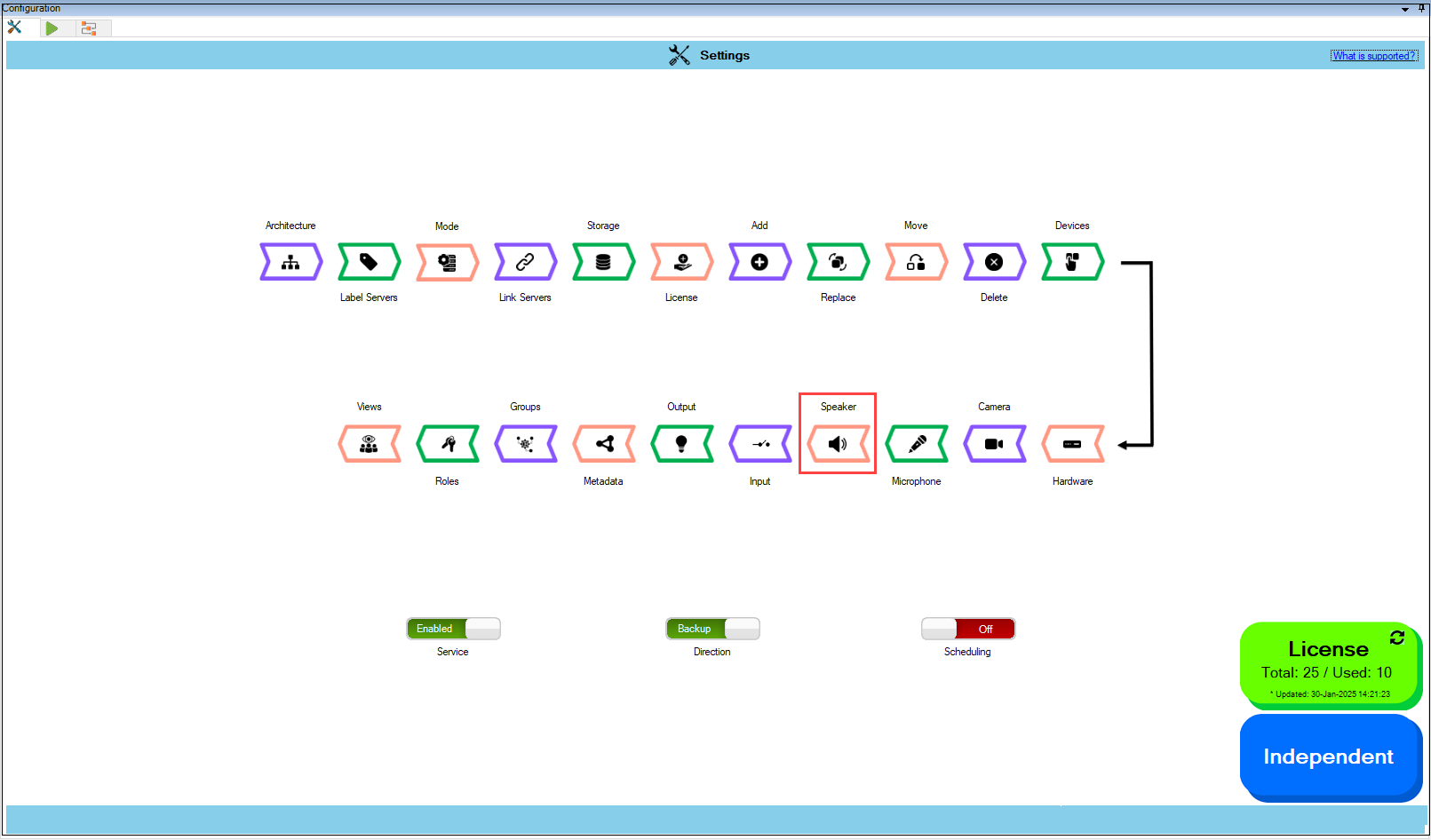
1. Click **Speaker**.

{% hint style="info" %}
**Note:** For the **Speaker** block to be clickable, at least one device must be selected from the&#x20;

Devices section. For more information, refer to [Device Selection](https://docs.vega365.com/redundancy-management-framework/user-manual/configuration-dashboard/device-selection.md)
{% endhint %}

<figure><img src="https://content.gitbook.com/content/K95oxUATgzuZZ2VhRoDw/blobs/mNoF3IDit1y4sfEsNXIb/Speakeroption.png" alt=""><figcaption><p>Speaker Option</p></figcaption></figure>

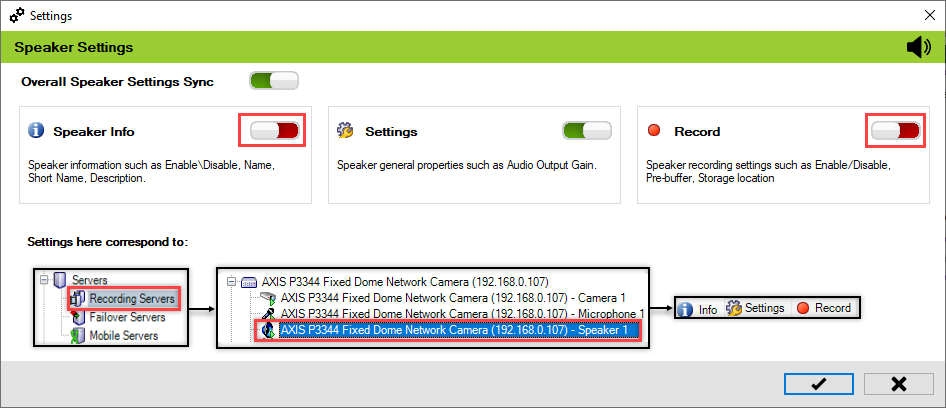
2. Enable the **Overall Speaker Settings Sync** to enable all the individual speaker&#x20;

   settings. Enable/Disable different sub-settings as needed.

<figure><img src="https://content.gitbook.com/content/K95oxUATgzuZZ2VhRoDw/blobs/DzIBmctgU9Wd7MZvcqnw/Speakersettings.png" alt=""><figcaption><p>Speaker Settings Screen</p></figcaption></figure>

<figure><img src="https://content.gitbook.com/content/K95oxUATgzuZZ2VhRoDw/blobs/GPIdZIMEGd9Bmb7acKMz/Speakerdisable.png" alt=""><figcaption><p>Synchronize the Required Speaker Settings</p></figcaption></figure>

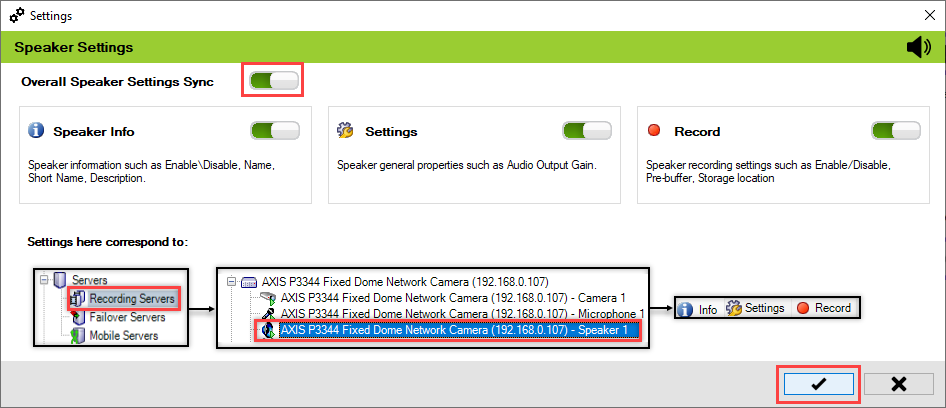
3. To retain the settings, click the **Check Mark** button.

<figure><img src="https://content.gitbook.com/content/K95oxUATgzuZZ2VhRoDw/blobs/eOBBprQcf2PRNXDmqfJI/SpeakerSave.png" alt=""><figcaption><p>Check Mark Button</p></figcaption></figure>

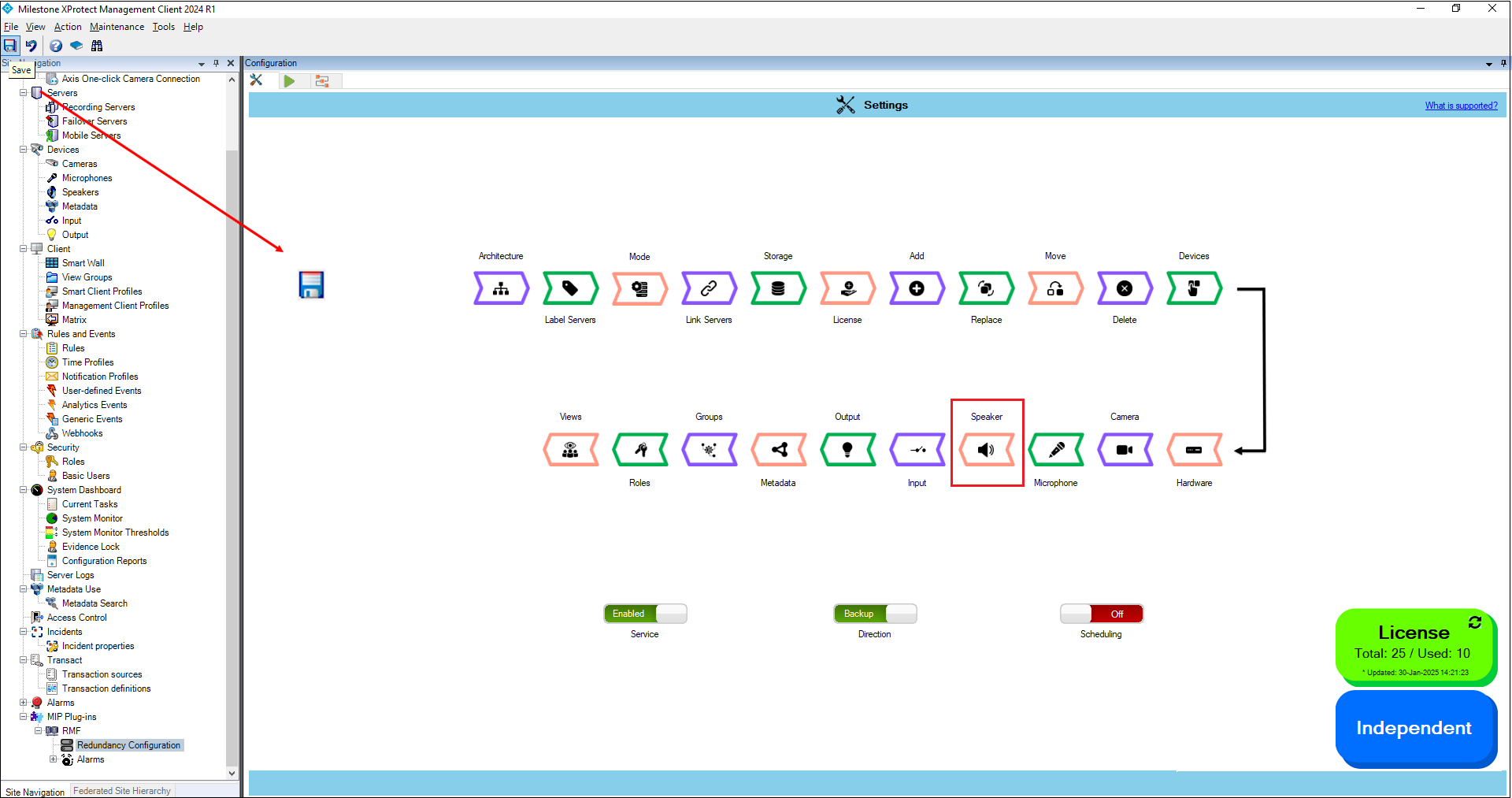
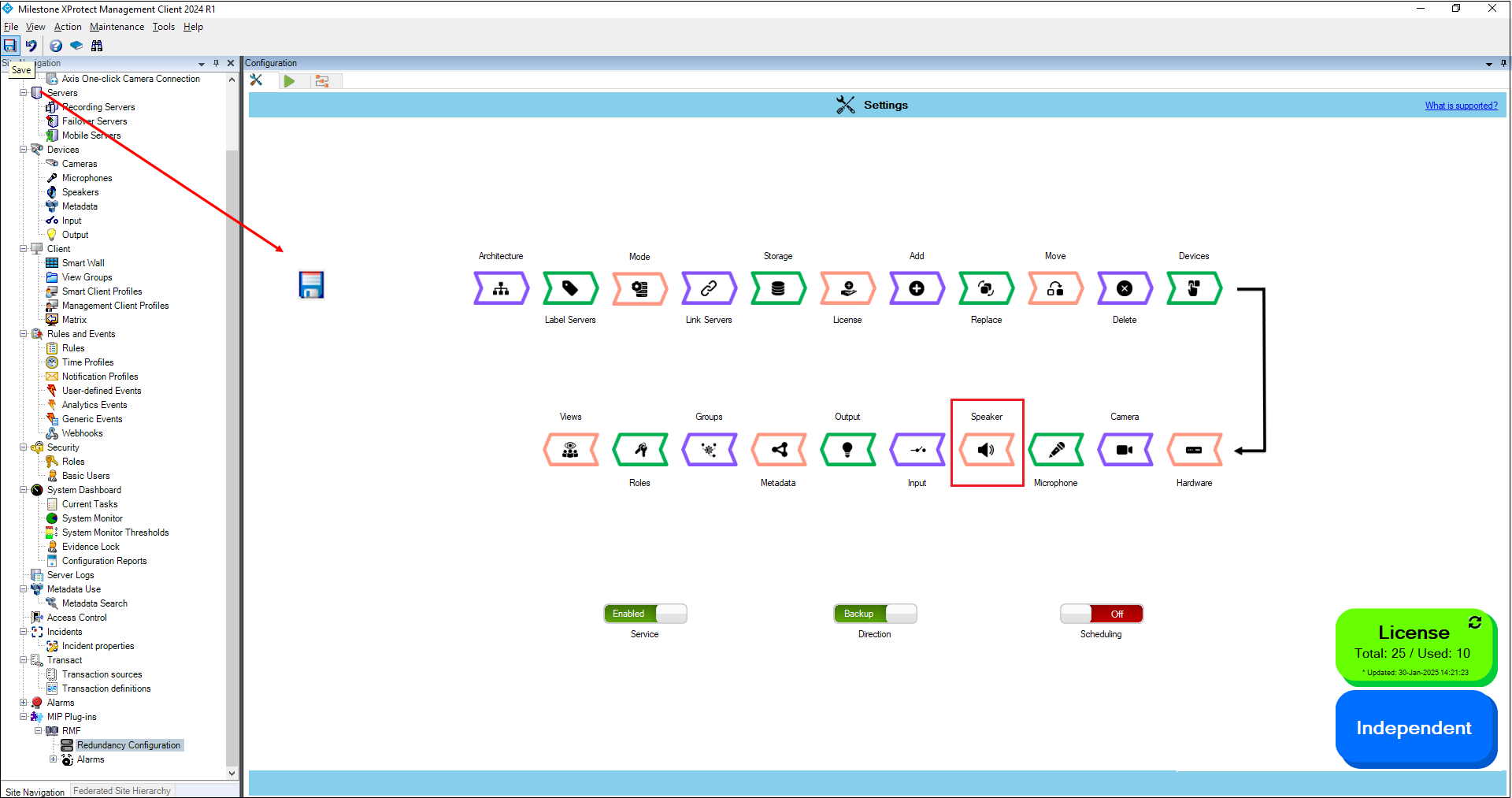
4. Click **Save** in the Milestone toolbar to save the changes.

<figure><img src="https://content.gitbook.com/content/K95oxUATgzuZZ2VhRoDw/blobs/qA4vBthZneH1AzLkkr42/SpeakerMilestone.png" alt=""><figcaption><p>Save Icon—Milestone Toolbar</p></figcaption></figure>

## Disable

To turn off the Speaker settings synchronization, perform the following steps:

1. Click **Speaker**.

<figure><img src="https://content.gitbook.com/content/K95oxUATgzuZZ2VhRoDw/blobs/QNuWLRgFj6RRZkGoToKa/Speakeroption.png" alt=""><figcaption><p>Speaker Option</p></figcaption></figure>

2. To turn off the synchronization of the microphone settings, move the toggle button to display red and click the **Save** icon.

<figure><img src="https://content.gitbook.com/content/K95oxUATgzuZZ2VhRoDw/blobs/uQbrV6iR94CBgKvWzM3C/Speakerdisabledsettings.png" alt=""><figcaption><p>Speaker Settings Disabled</p></figcaption></figure>

3. Click **Save** in the Milestone toolbar to save the changes.

<figure><img src="https://content.gitbook.com/content/K95oxUATgzuZZ2VhRoDw/blobs/F2SIJhabWGVImRQRY9LJ/image.png" alt=""><figcaption><p>Save</p></figcaption></figure>

{% hint style="success" %}
**Step Result:** The **Speaker** settings option is disabled.
{% endhint %}

<figure><img src="https://content.gitbook.com/content/K95oxUATgzuZZ2VhRoDw/blobs/CZKMqRc947hxZSWP1zUa/Speakeroptiondisabled.png" alt=""><figcaption><p>Disabled Speaker Settings Option</p></figcaption></figure>