> For the complete documentation index, see [llms.txt](https://docs.vega365.com/llms.txt). Markdown versions of documentation pages are available by appending `.md` to page URLs; this page is available as [Markdown](https://docs.vega365.com/redundancy-management-framework/user-manual/configuration-dashboard/synchronize-views.md).

# Synchronize Views

Create and Maintain RMF and Secondary-only views

## About

In both Single-Site and Federated architectures, Smart Client users benefit from stream-level failover when viewing video within RMF views. This block, View Synchronization, automatically creates and maintains these RMF views to mirror their corresponding native views. Additionally, this feature generates and maintains a set of Secondary camera views that mirror the primary views across all architectures—Single Site, Federation, and Independent. As a result, if a Smart Client user logs into the secondary management server, they will see the same views as they would if they logged into the primary management server.

This option saves admin users time in duplicate view maintenance.&#x20;

## Scope

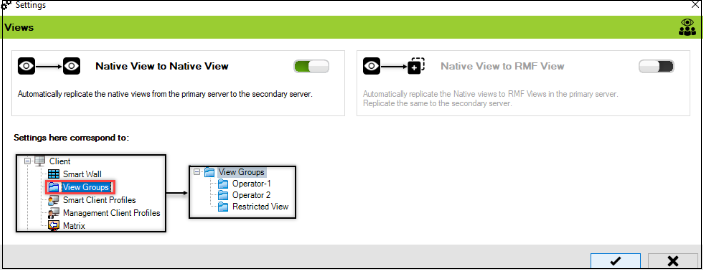
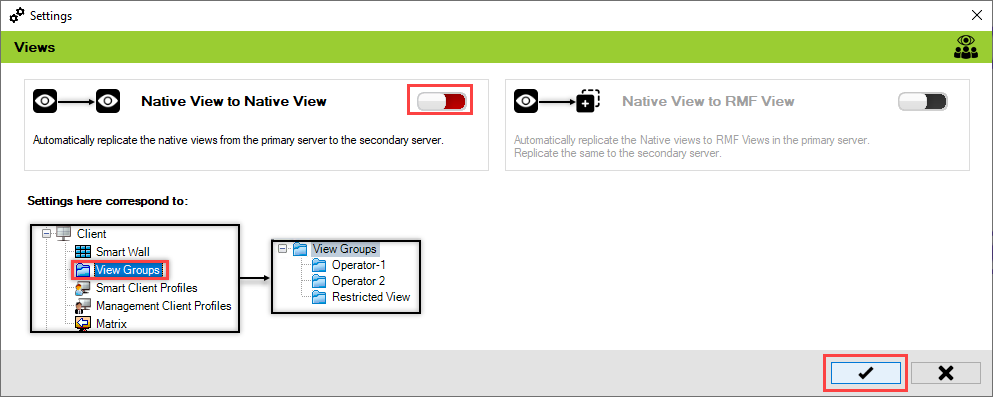
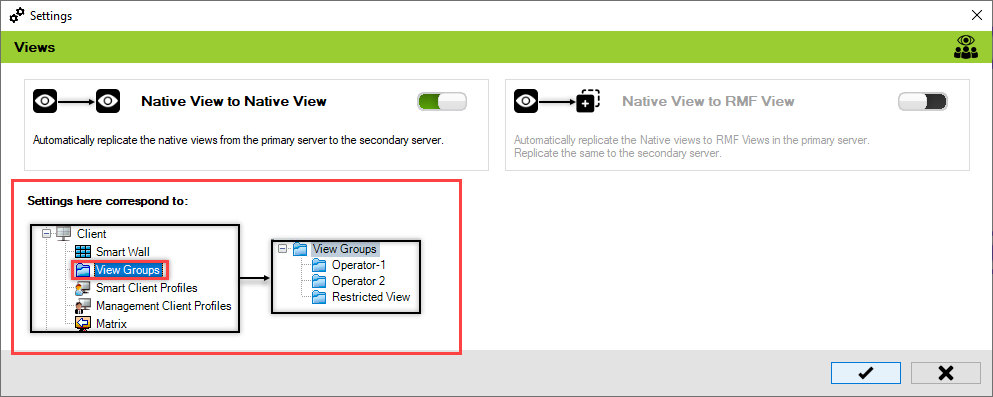
The scope is limited to RMF-licensed devices selected by the [Device Selection](https://docs.vega365.com/redundancy-management-framework/user-manual/configuration-dashboard/device-selection.md) block and encompasses the features listed under the "Settings here correspond to" section in the picture below.  The direction of synchronization depends on the direction setting. See [Set Synchronization Direction](https://docs.vega365.com/redundancy-management-framework/user-manual/configuration-dashboard/set-synchronization-direction.md).&#x20;

<figure><img src="https://content.gitbook.com/content/K95oxUATgzuZZ2VhRoDw/blobs/JBFpM0nLkxIQZoOCHH6s/Settings.png" alt=""><figcaption><p>Views Settings—Site Navigation Pane</p></figcaption></figure>

## Native View to Native View

The synchronization process varies based on the architecture type:

* **Independent and Federated Architecture:** View layouts and views are automatically synchronized from the Primary server to the Secondary server.
* **Single Site Architecture:** A set of views with cameras only from secondary recorders is created and maintained.

## Native View to RMF View

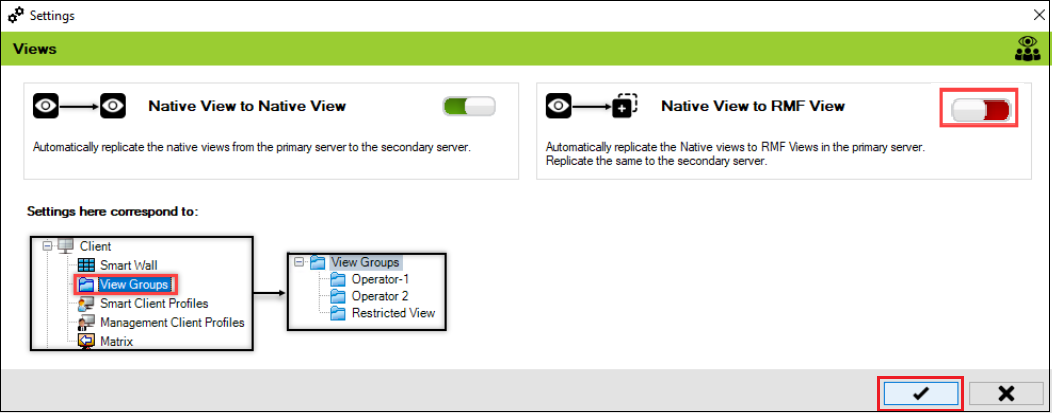
This option automatically creates RMF views for the existing Native views, eliminating the need to manually create the RMF views.

This feature is only applicable to Federated and Single Site Architectures. It is **disabled** in Independent Architecture because stream-level failover is not supported.

## Enable

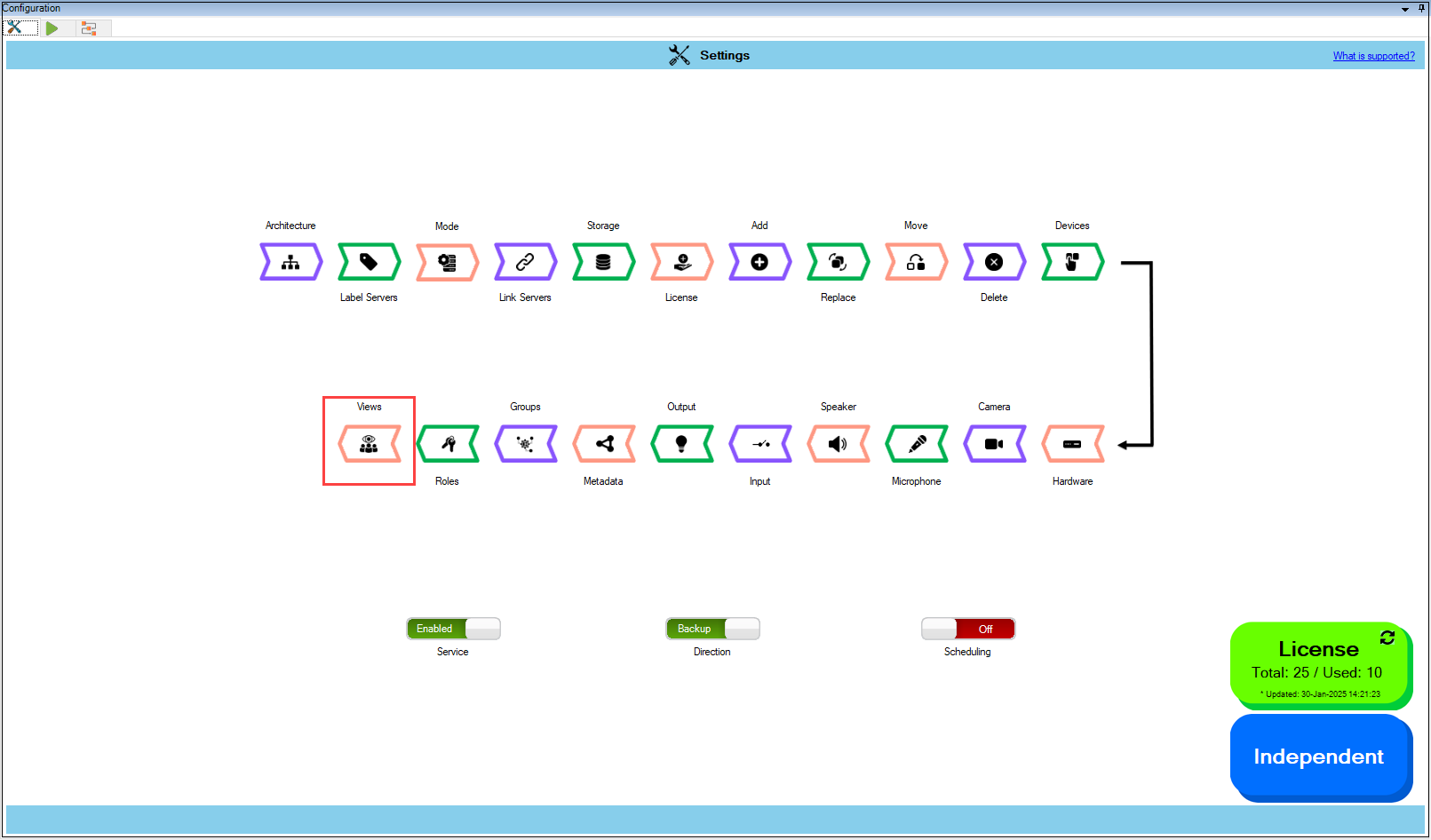
To enable Native to Native view, perform the following steps:

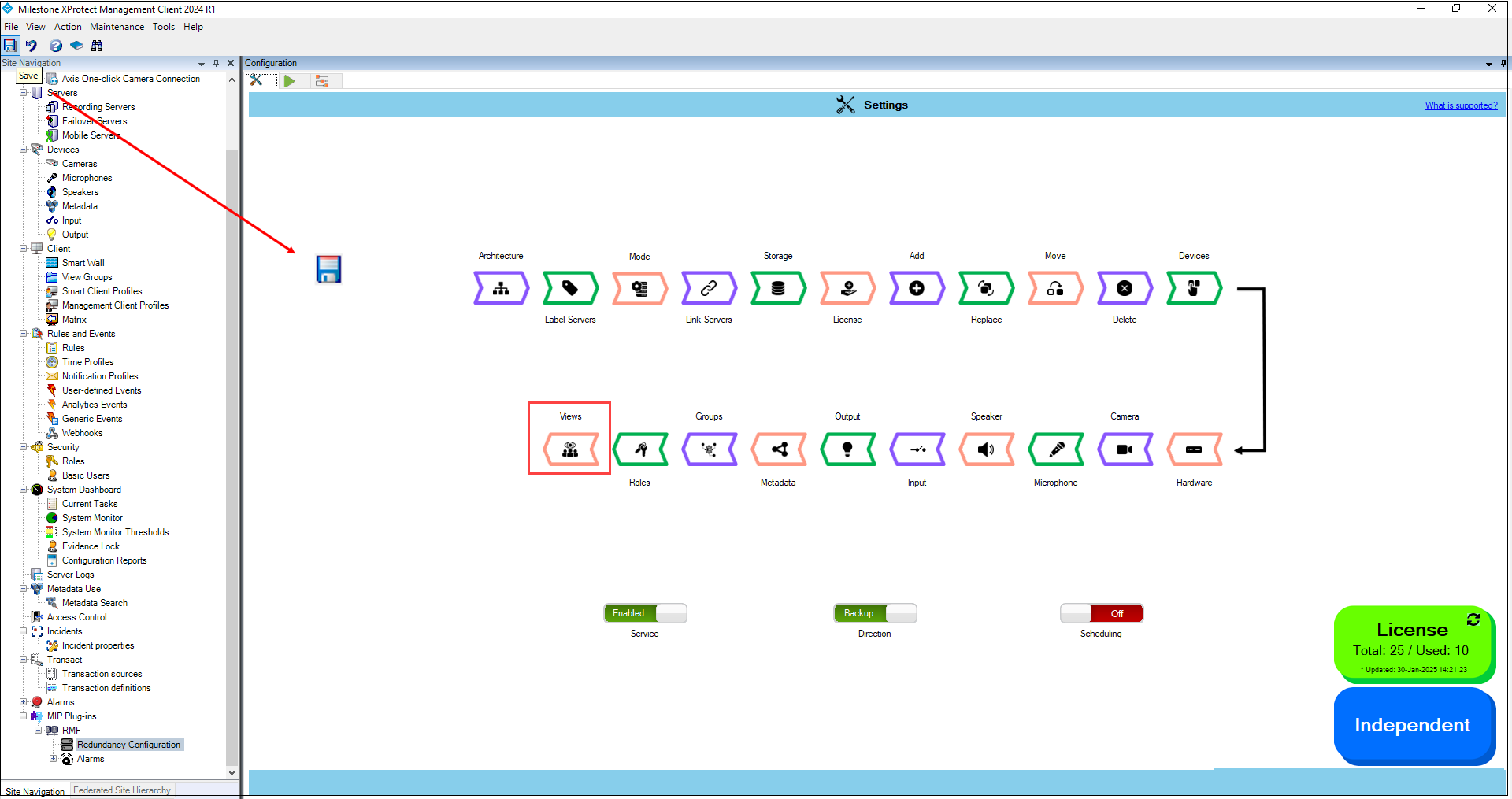
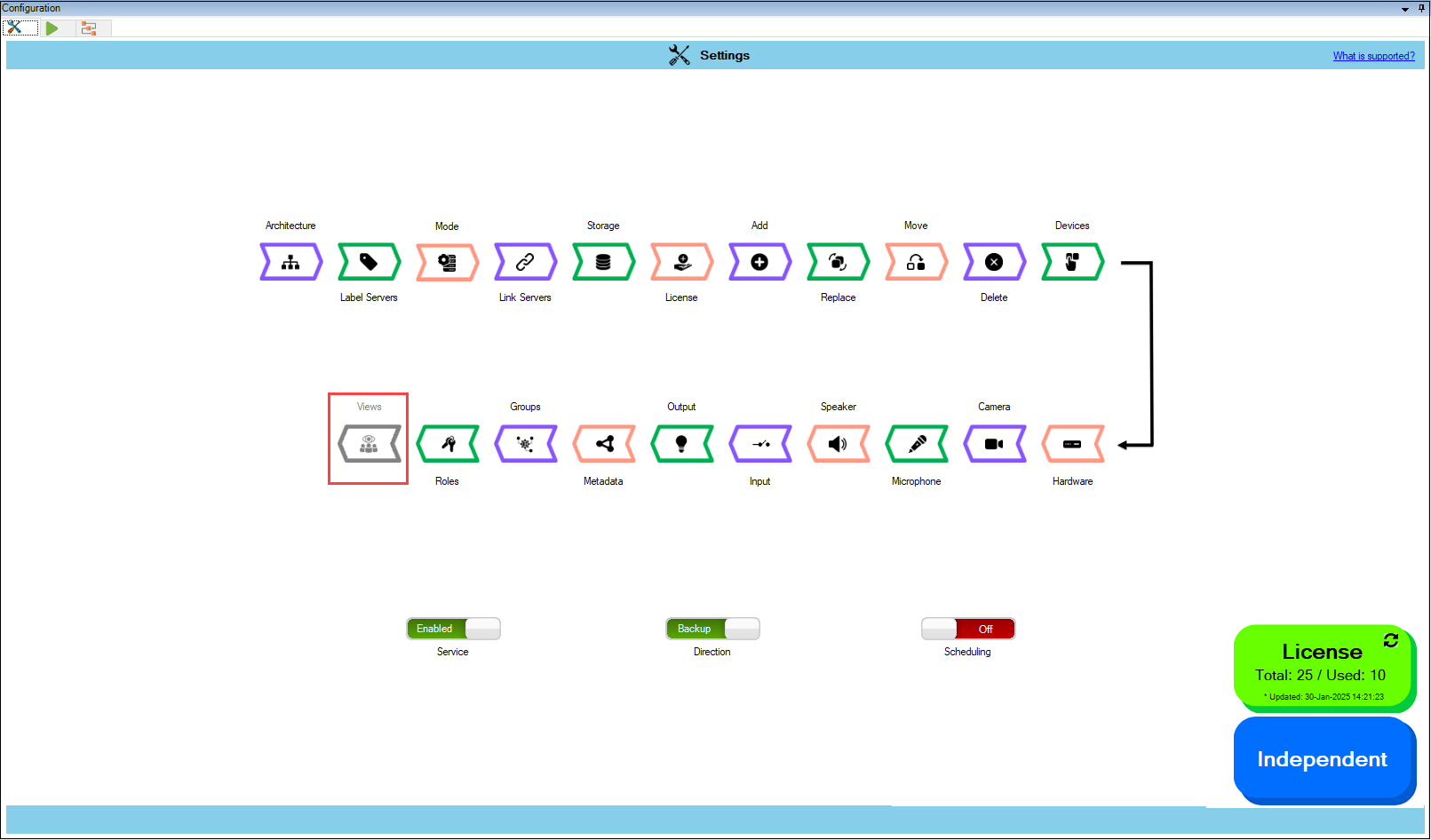
1. Click **Views**.

<figure><img src="https://content.gitbook.com/content/K95oxUATgzuZZ2VhRoDw/blobs/GJT5z2y7FY088Nt1brZ6/Views.png" alt=""><figcaption><p>Views Option</p></figcaption></figure>

{% hint style="success" %}
**Step Result:** The following Settings screen appears.
{% endhint %}

<figure><img src="https://content.gitbook.com/content/K95oxUATgzuZZ2VhRoDw/blobs/ivdwWINhhlSJRPh5ly0f/settingsscreen.png" alt=""><figcaption><p>Views Settings Screen</p></figcaption></figure>

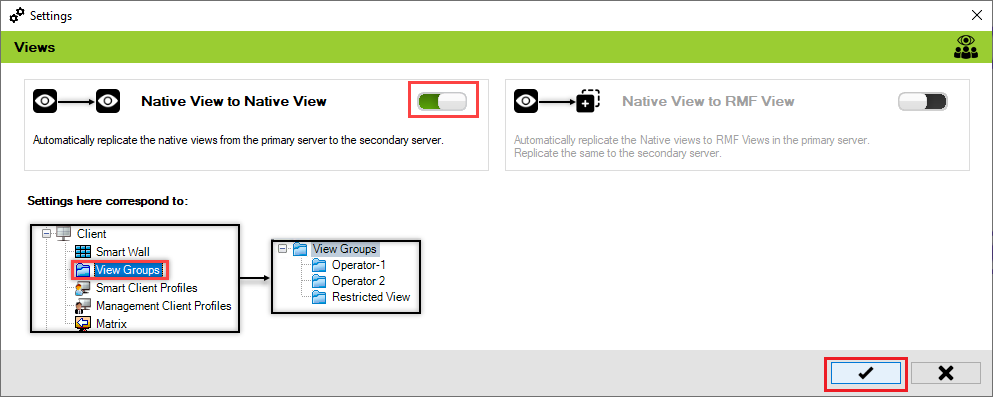
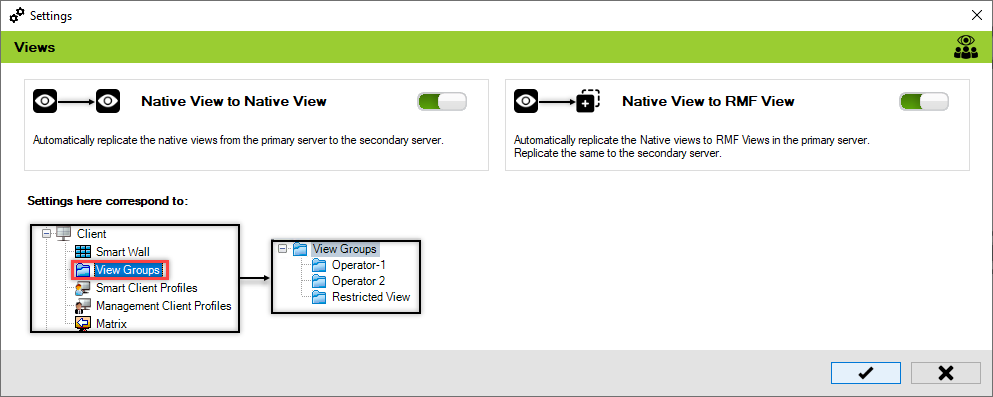
2. Enable the view toggle buttons as needed and click the **Save** button.

<figure><img src="https://content.gitbook.com/content/K95oxUATgzuZZ2VhRoDw/blobs/254alTsyZ7yjjieTGVsw/native.png" alt=""><figcaption><p>Native View to Native View</p></figcaption></figure>

<figure><img src="https://content.gitbook.com/content/K95oxUATgzuZZ2VhRoDw/blobs/l05YPC7HgGIYzKQJztdN/RMFSettings.png" alt=""><figcaption><p>Native to RMF views.</p></figcaption></figure>

3. Click **Save** in the Milestone toolbar to save the changes.

<figure><img src="https://content.gitbook.com/content/K95oxUATgzuZZ2VhRoDw/blobs/mBvskXTNtRZbVyIMBhEm/Milestone.png" alt=""><figcaption><p>Save Icon—Milestone Toolbar</p></figcaption></figure>

{% hint style="info" %}
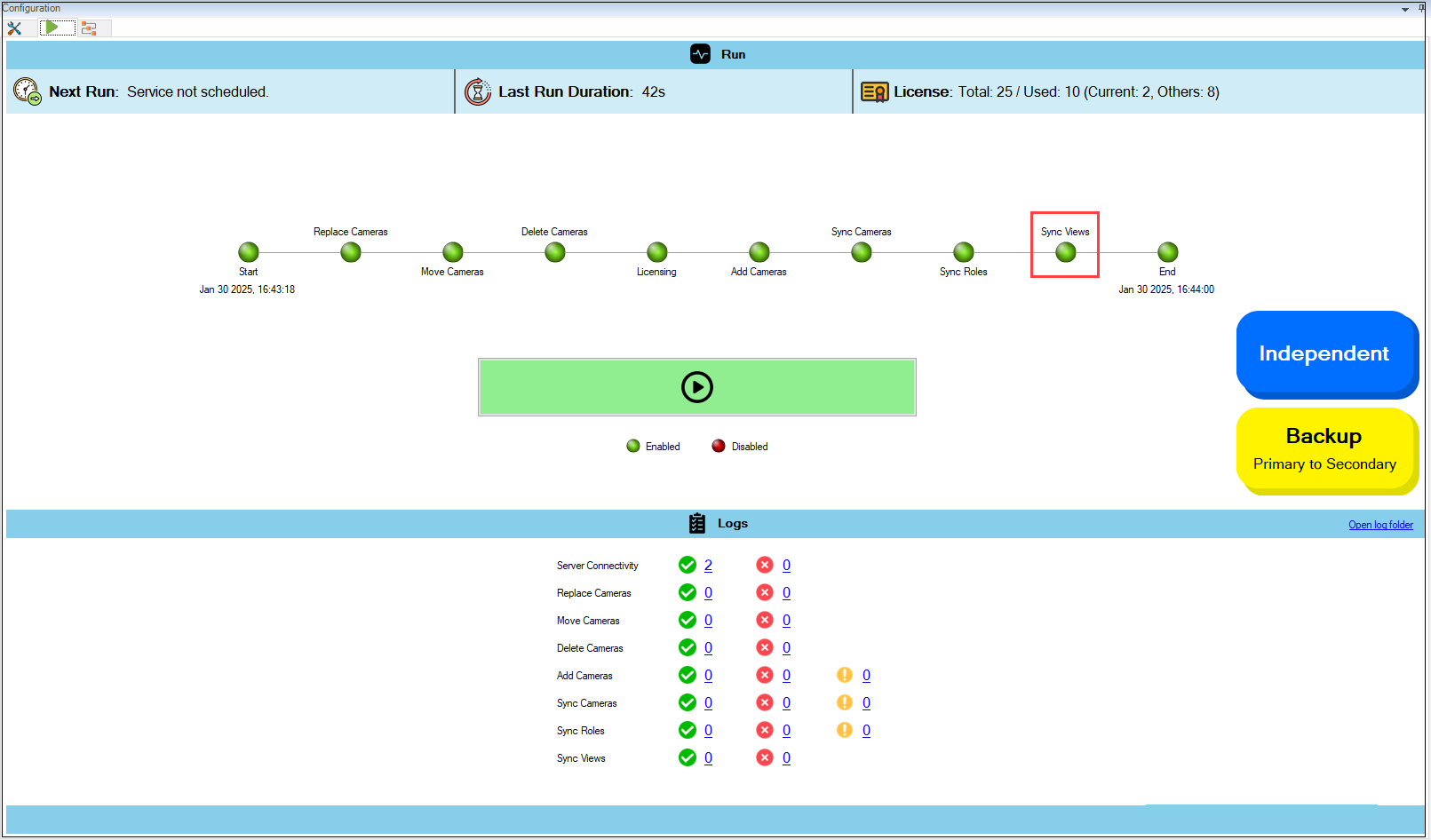
**Note:** The Views are synchronized during the **Sync Views** phase.
{% endhint %}

<figure><img src="https://content.gitbook.com/content/K95oxUATgzuZZ2VhRoDw/blobs/nyEfezX0U5tMlXxe14Ga/Syncviews.png" alt=""><figcaption><p>Synchronize Views</p></figcaption></figure>

## Disable

To disable Native to Native view synchronization:

1. Move the toggle button to display red and click the **Save** button.

<figure><img src="https://content.gitbook.com/content/K95oxUATgzuZZ2VhRoDw/blobs/ZXkL6pk4nCb9AX4cRF3k/disable.png" alt=""><figcaption><p>Disable Native to Native View</p></figcaption></figure>

<figure><img src="https://content.gitbook.com/content/K95oxUATgzuZZ2VhRoDw/blobs/9rcn5xBDNqhAPwvsIUBQ/disable%20RMF.png" alt=""><figcaption><p>Disable Native to RMF View</p></figcaption></figure>

{% hint style="info" %}
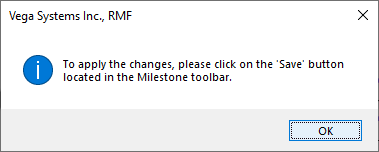
**Note:** The following screen appears, prompting you to click the **Save** button in the&#x20;

Milestone toolbar.
{% endhint %}

<figure><img src="https://content.gitbook.com/content/K95oxUATgzuZZ2VhRoDw/blobs/Lgz044nKlm1fnumNZmwG/Confirmatory%20dialog.png" alt=""><figcaption><p>Confirmatory Dialog Box</p></figcaption></figure>

2. Click **Save** in the Milestone toolbar to save the changes.

<figure><img src="https://content.gitbook.com/content/K95oxUATgzuZZ2VhRoDw/blobs/mBvskXTNtRZbVyIMBhEm/Milestone.png" alt=""><figcaption><p>Save Icon—Milestone Toolbar</p></figcaption></figure>

{% hint style="info" %}
**Note:** If both Native View to Native View and Native View to RMF View are disabled then the Views will be disabled in the Configuration screen.
{% endhint %}

<figure><img src="https://content.gitbook.com/content/K95oxUATgzuZZ2VhRoDw/blobs/KPH8Vm8VffODaByRdlwn/Viewsdisabled.png" alt=""><figcaption><p>Views Option Disabled</p></figcaption></figure>