> For the complete documentation index, see [llms.txt](https://docs.vega365.com/llms.txt). Markdown versions of documentation pages are available by appending `.md` to page URLs; this page is available as [Markdown](https://docs.vega365.com/redundancy-management-framework/user-manual/installation/pre-installation.md).
# Pre-Installation
Follow the steps below to validate the downloaded installer.
## Download **and Unzip the RMF Installer File**
Perform the following pre-installation steps to download and unzip the RMF Installer files:
1. Navigate to the download link provided and download the RMF zipped file.
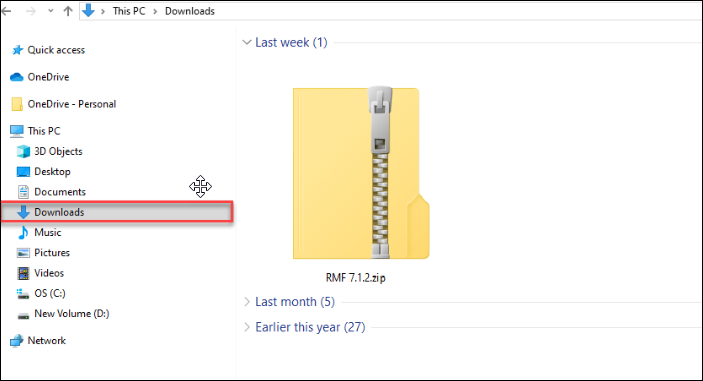
2. Locate the RMF zipped file from the **Downloads** folder.
RMF Zipped File (Downloads)
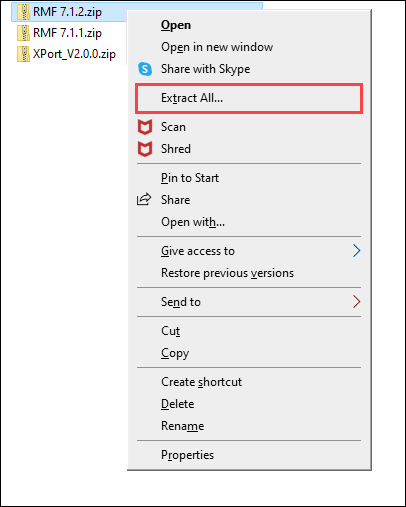
3. Right-click the zipped file and click **Extract All**.
Extract All Option
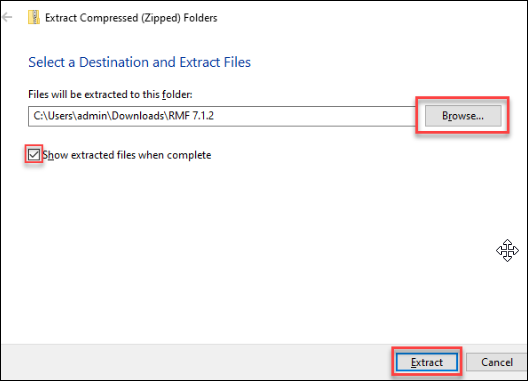
3. Click **Browse** to select a destination where the zipped file contents will be extracted, then click **Extract**. Then, select the check box to **show the extracted files when they are complete**.
Extract Option
{% hint style="success" %}
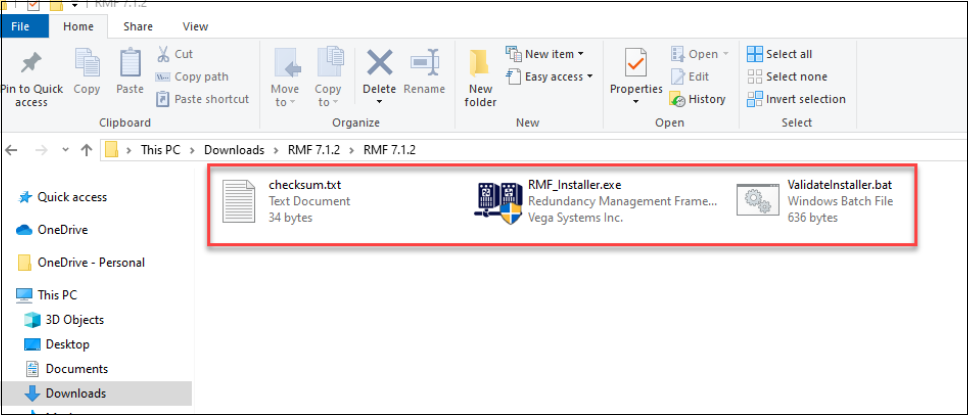
**Step Result:** After extracting the RMF zipped file, the following files are available.
{% endhint %}
RMF Installer Files
4. Unblock the installer after downloading it to ensure that the host system will run the installer. Often, because the installer was downloaded online, the host system automatically blocks it for security reasons.
{% embed url="" %}
Unblock downloaded installer
{% endembed %}
## Validate **the RMF Installer File**
Perform the following steps to ensure that the RMF installer is valid and not corrupted during download:
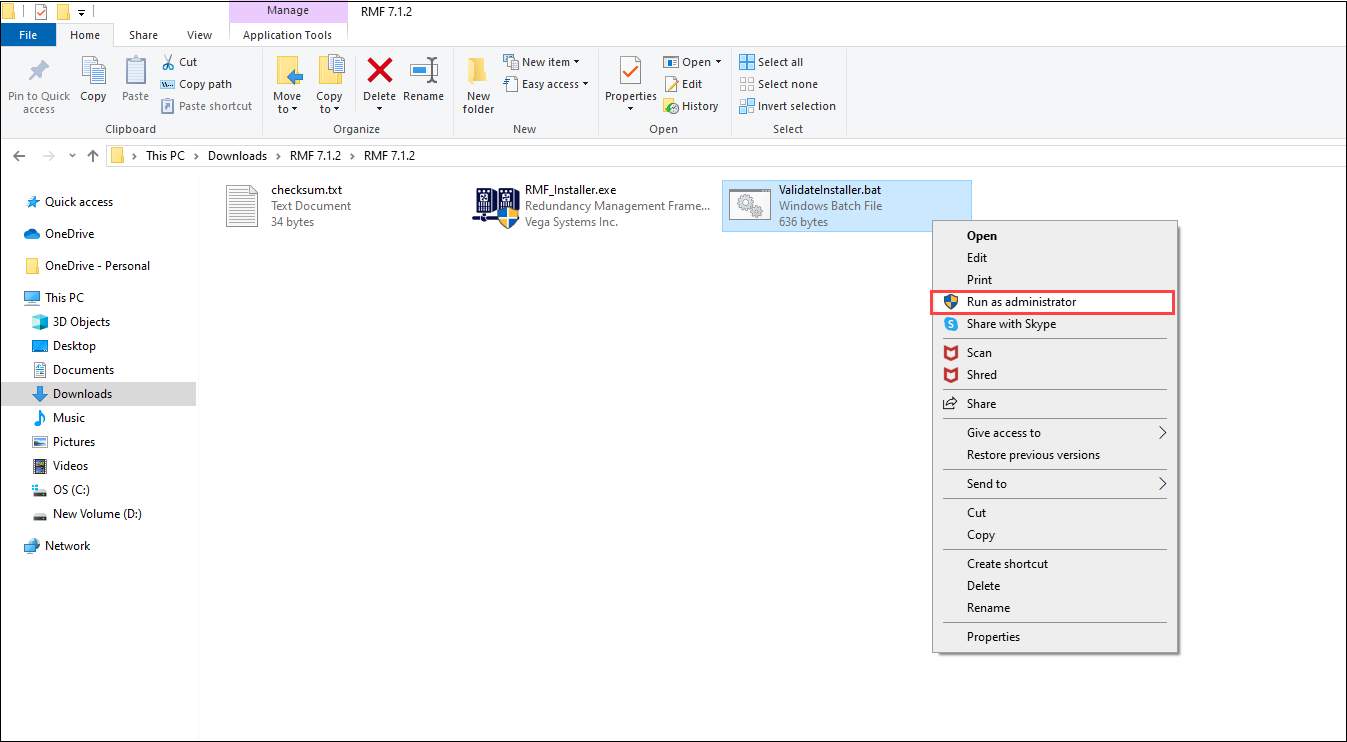
1. Right-click **ValidateInstaller.bat** file.
2. Click **Run as Administrator**.
Validate Installer.bat
{% hint style="success" %}
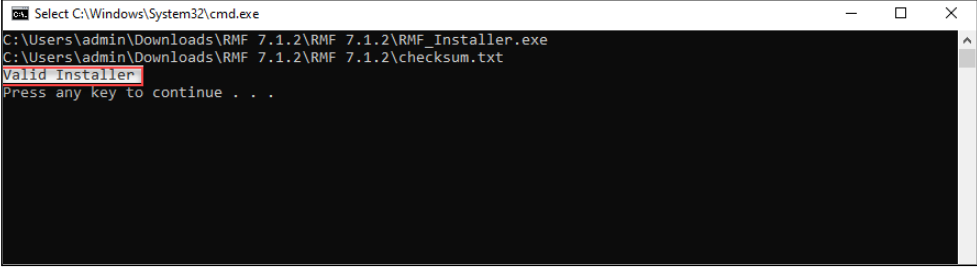
**Step Result:** The following success screen must appear. Otherwise, download the RMF folder again and execute the ValidateInstaller.bat file.
{% endhint %}