> For the complete documentation index, see [llms.txt](https://docs.vega365.com/llms.txt). Markdown versions of documentation pages are available by appending `.md` to page URLs; this page is available as [Markdown](https://docs.vega365.com/redundancy-management-framework/user-manual/installation/uninstallation/manual-uninstallation.md).
# Manual Uninstallation
RMF Manual uninstallation procedure.
Perform the following steps to uninstall RMF:
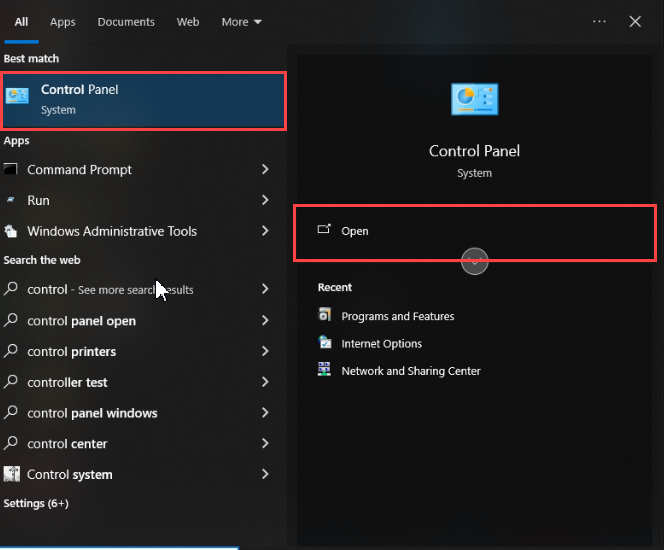
1. Navigate to the **Control Panel** on the local machine and click **Open**.
Control Panel
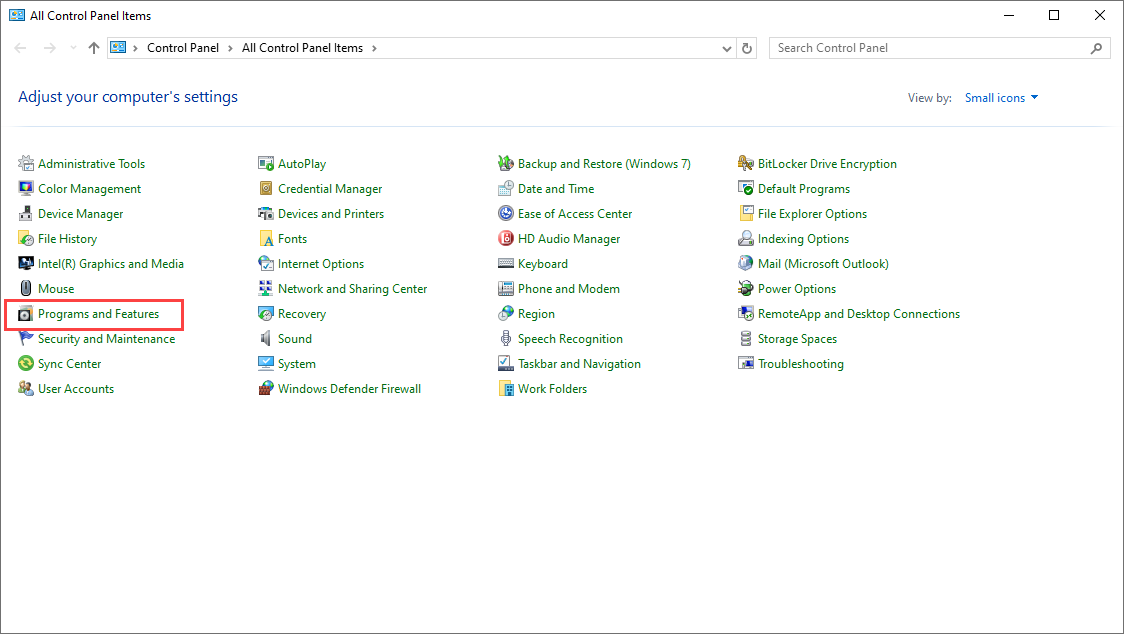
2. Select **Programs and Features.**
Programs and Features
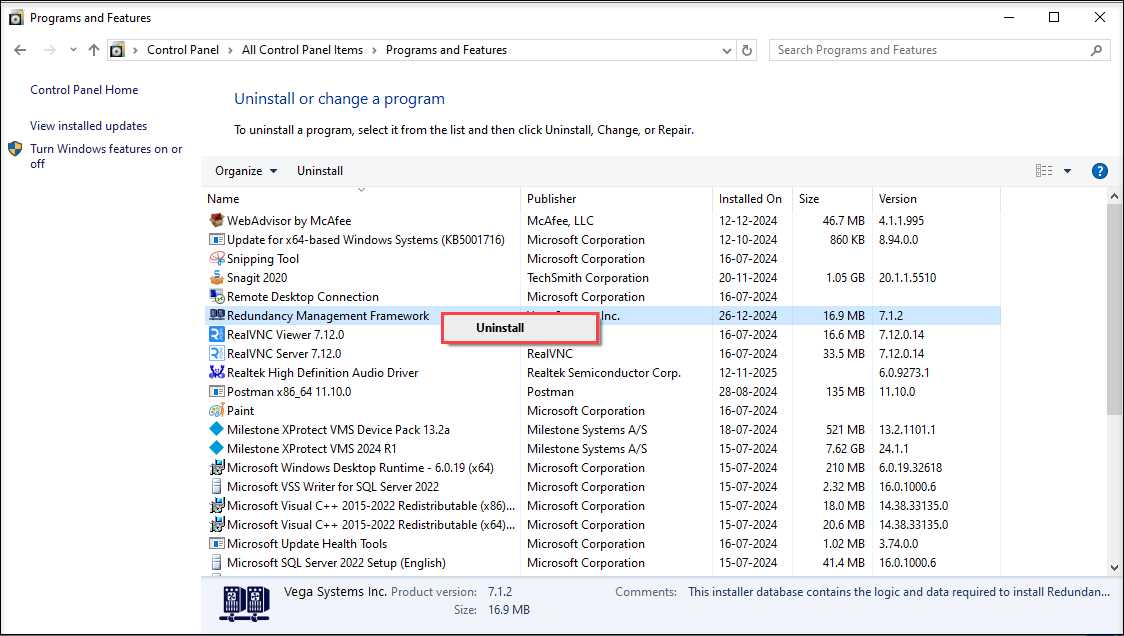
3. Right-click Redundancy Management Framework and click **Uninstall**.
Uninstall RMF
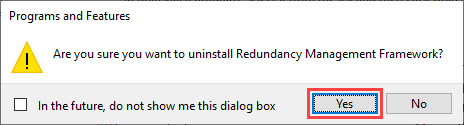
4. Click **Yes** in the confirmatory dialog box that appears.
Uninstall Dialog Box
{% hint style="success" %}
**Step Result:** The Redundancy Management Framework plugin is uninstalled.
{% endhint %}