> For the complete documentation index, see [llms.txt](https://docs.vega365.com/llms.txt). Markdown versions of documentation pages are available by appending `.md` to page URLs; this page is available as [Markdown](https://docs.vega365.com/redundancy-management-framework/user-manual/licensing/offline-activation/import-activated-license.md).
# Import Activated License
Follow the steps to import activated license.
Perform the following steps to import the activated license:
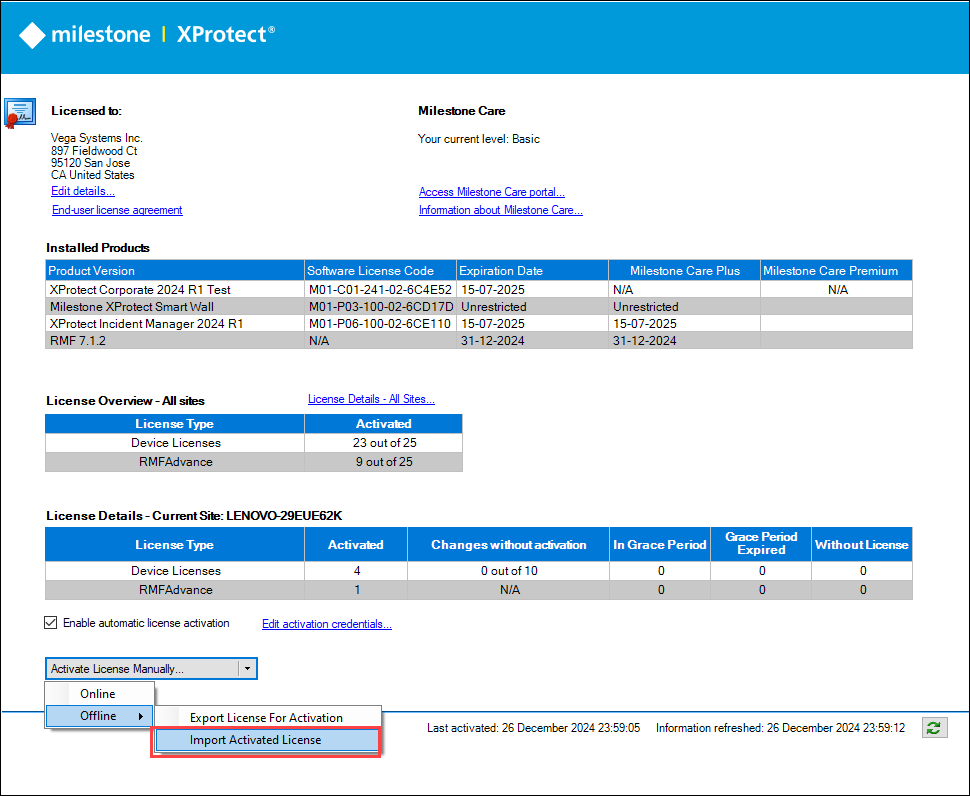
1. Select **Activate License Manually** → **Offline** in the Management Client.
2. Select **Import Activated License**.
Import Activated License
4. You can activate the license by selecting the activated license you received in the e-mail from the Milestone license portal and clicking Open.
Select the Activated License
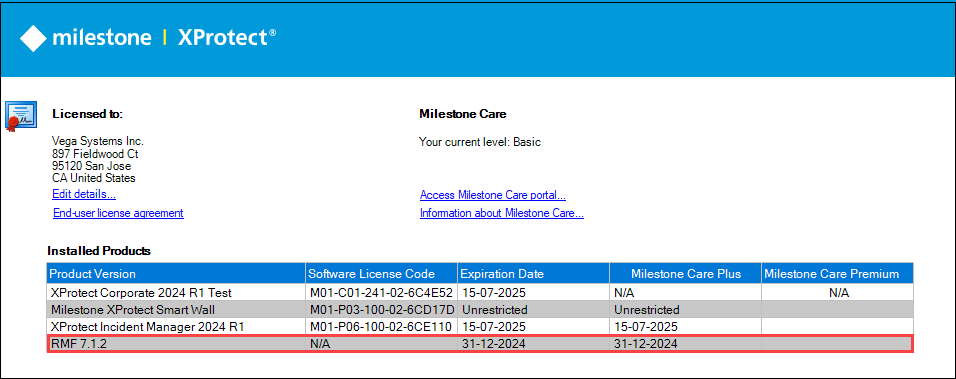
5. Ensure that RMF is visible under the **Installed Products** section.